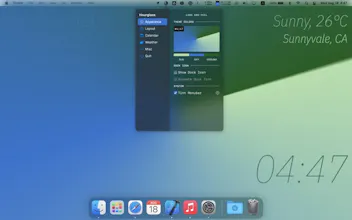
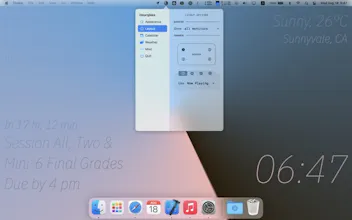
Hourglass reinvents your desktop experience with beautiful rotating conical gradients that moves like a clock and optional texts that provides additional info, including current time, next calendar event, weather forecast, and now playing.
@stas_kulesh Thanks Stas! Slowing down would be a great feature request! And for only showing minutes and hours, you can toggle unwanted corners in the layout tab :-)
Report
Great work, brings back the memories of tweaking LiteStep themes ages ago 😏
For some reason, though, it shows time in 12h format even I have the system set to 24h.
Also I would love to see some theming options, like setting the colors to what I want instead of forecasting thing you have right now in place. The Autumn is coming and it’s gonna look like shit most of the times 😁
@addisonjames Thanks! Custom font support is in the works :-)
Report
Clever and pretty. An issue and a suggestion:
* My weather display seems stuck at ", 32℉" even though it correctly determines my location (Houston, TX).
* Top and bottom right texts should be optionally offset from the right edge so that desktop icons (which default to displaying top-to-bottom on the right edge) don't cover them.
Report
Looks great. Is there any to change the font or change the temperature from Celsius to Fahrenheit?
@lindelof Hi! Currently the font is hard coded to be IBM Plex (might change this later 🤔), and for temperature I believe it follows the system locale (System Preference - Language and Region), once you set it to be Fahrenheit, Hourglass will show in F instead of C. Hope this helps!
@james_joohun Hi James! Are you referring to how long will the clock complete a cycle or how long did it take to develop? For a cycle, it will rotates 360 degrees every minute, and for development, roughly a month. Hope this helps!



UIQuill
Hourglass
Hourglass
Hourglass
Hourglass
Hourglass
Hourglass