Hebbia

Find relevant info instantly with AI-powered Ctrl+F

6 followers

Hebbia is a Chrome extension that *understands* your questions and highlights all relevant info in a webpage. ⠀ Find exactly what you need with just 1 question, powered by cutting-edge AI. ⠀ 👉 Try it on the Chrome webstore! http://producthunt.hebbia.ai
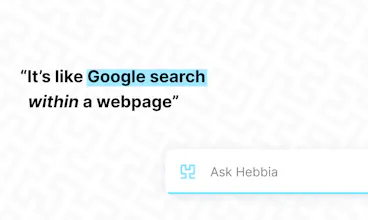
Hebbia gallery image
Launch Team
Anima Playground
AI with an Eye for Design
Promoted

What do you think? …

George Sivulka
👋 Hey Product Hunt! I’m George, the Founder and CEO of Hebbia. On behalf of our amazing team (@jakkap, @abcdchop, @robert_koniuta, @prabhat_agarwal, @vikul_gupta, and @mikachu), I’m excited to share the next evolution in text search. Hebbia is an AI-powered browser extension that understands your questions, highlighting only the relevant info that matters to you. With just one query, we turn hours of laborious reading into seconds of condensed learning. 🔍 Like many of you, our team spends hours each day sorting through long documents (or documentation!) in search of just one or two important lines. We knew there had to be a better way to discover and digest the signal from the noise. 🤔💭 Building on cutting-edge machine learning, our team created a tool which supercharges your daily productivity. Tired of being boggled by too much information? Add Hebbia’s Chrome extension to make your find function 10x more efficient and 10x more valuable. We’d love feedback to make Hebbia as useful for you as possible. Please share your ideas for improvement and let’s continue to build the future of AI-powered search! 🤝 And if you’re excited about our product and interested in working with us, send me a note! We’re still scratching the surface of what’s possible; there’s much to explore. Cheers, George
Chris Messina
@jakkap @abcdchop @robert_koniuta @prabhat_agarwal @vikul_gupta @mikachu @george_sivulka1 Had to uninstall. Taking over ⌘-H, which I use to minimize my browser, is a no-go. Sweet idea though!
Jake Kaplan
@chrismessina Sorry to hear about this experience, Chris. We aim to make our product as convenient as possible, but certainly not at the expense of disrupting your workflow! You’re welcome to adjust the shortcut mapping at any time via chrome://extensions/shortcuts. Hope this helps!
Chris Messina
@jakkap thanks for that. I was expecting to be able to change that settings from Hebbia's settings directly. Is it not possible to also allow that? I'd forgotten about that rather buried extensions config!
Jake Kaplan
@chrismessina No problem! We certainly appreciate the feedback and we’ve made this configuration more accessible on our options page in our latest version pushed last night! :)
Cory Levy
Woah. This is like google inside of a page. Big fan 🚀 . Keep up the great work @george_sivulka1!
George Sivulka
Abishek Muthian
@george_sivulka1 @cory_levy It's an inception! Search for something in Google, Search again in the website using its own search, then search the search results using Hebbia! Nice.
Giacinto Carlucci
Cool! What's the story behind the name and logo? Keep pushin' this!
George Sivulka
@giacintocarlucci The name is a reference to Hebbian Learning (a simple theory for how the human mind learns)! Our logo is a fractal called a Hilbert Curve (which we find beautiful)! We really love math :)
George Sivulka
@giacintocarlucci And thank you!!
Giacinto Carlucci
@giacintocarlucci @george_sivulka1 What a beautiful thing!
Eli Wachs
This amazing product has truly transformed how I process information and has probably already saved me hours of time. Can't wait for it to get shared with the world!
Vikul Gupta
@eli_wachs2 Thanks so much Eli!
George Sivulka
@eli_wachs2 Eli, thank you for using Hebbia and for all your support!!
Sydney Maly
A game changer!! Thanks Hebbia!
Robert Koniuta
@sydney_maly Of course, Sydney! Glad you are enjoying the product!
Harsh Vardhana
It makes my life as a student so much easier since I can get information from papers faster!
Vikul Gupta
@harsh_vardhana Thanks Harsh!
Vikul Gupta
Hey guys! I'm one of the makers. Excited to have you all use it!
123
•••
Next
Last