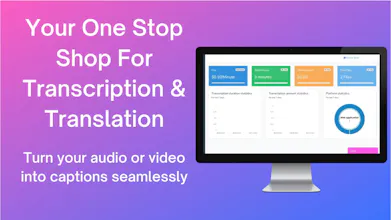
Free and Paid Options Available: $0.10 per minute (a 50% discount!) Transcribe and translate any audio or video file to text and download to any transcript format. Use our online editor to make changes. Powered by advanced AI.
No reviews yetBe the first to leave a review for Gglot
Maker
Hi Hunters! 👏
I’m Alex Buran, Founder and CEO of Gglot.
In today’s digital age it has never been easier to connect with individuals who speak a different language. With video and audio sharing becoming more and more prevalent since the onset of the COVID-19 pandemic, it can be useful to transcribe and translate audio and video files.
That’s where Gglot comes in. Gglot puts the power back into the user’s hands, allowing you to transcribe and translate any audio and video file in minutes using our award winning advanced AI.
Gglot enables you to:
✔Produce blazing fast transcriptions of your most recent projects.
✔Make any edits that you see fit using our online editor.
✔Access our team of translators to conduct manual translations.
✔Upload up to 2 hours worth of video and 2 GB of audio for transcription into over 100 languages.
Now I’ll go through the steps on how to use Gglot to transcribe and translate your audio.
📢First, go to Gglot.com. Once you’re on our landing page go to the ‘Login’ button to access our dashboard. You’ll need a free account in order to use our services.
📢Next go to the menu bar on the left and click ‘Transcriptions.’ Once you’re there, you’ll need to upload your file, choose its original (source) language and its target language.
📢After uploading, pay for the service when it has the prompt. New accounts get 2 minutes of free transcription, and we’ve lowered our price to $0.10 a minute- 50% off our original price! You’ll be taken to our editor, and you can make sure it’s perfect before exporting.
📢Finally, click ‘Export’ and choose your file type. Congratulations! You’ve transcribed your audio.
📢Now that you’ve transcribed, it’s time to translate. Go to the ‘Translations’ tab, choose your transcribed file and select both its source and targeted language. Once you’ve exported it you’ll have successfully transcribed and translated your audio/video file!
With the demand for audio and video transcription services on the rise, it can be hard for consumers to find a reliable source for AI transcription and human translators. Gglot seeks to bridge that gap and provide consumers with an all-encompassing transcription service that meets all your needs for a fraction of the cost of competitors.
🔔You can try Gglot for free today!
From myself and everyone at Gglot, we hope you enjoy our product!
👍Please leave any thoughts and feedback in the comments below.👍
Report
This is very interesting.
Report
Maker
@agbesi_kodzo Thank you! It's nice to have your support!