Fyller.ai

Fyller.ai

Stop typing. Let Agents fill PDFs and Web Forms for you

3 followers

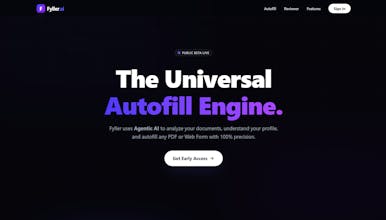
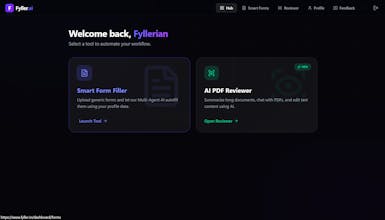
"Fyller uses Multi-Agent AI to automate your paperwork. Secure Vault: Stores your profile data encrypted. Universal Filler: Upload any PDF/DOCX or use the Chrome Extension on web forms. Context-Aware: It reads the job description or form context to pick the right skills and answers for you. Join the private beta to reclaim your time."

Interactive
Fyller.ai gallery image
Free Options
Launch Team
Anima - Vibe Coding for Product Teams
Build websites and apps with AI that understands design.
Promoted

What do you think? …

Maker
📌
👋 Hi Product Hunt! I’m Sharun, the maker of Fyller. I built Fyller because I was losing my mind. 😤 The Inspiration: A few months ago, I was deep in the trenches of applying for jobs I found myself uploading my resume/ID, only to have to manually re-type the exact same information into 50 different fields on the next screen. Browser autofill was useless for complex questions (like "List your relevant experience"), and it completely failed on PDFs. I realized we have AGI-level models, yet we are still manually typing our home addresses like it's 1999. 💡 The Solution: I wanted a "Universal API for My Life." One secure place where I store my data once, and an AI agent handles the bureaucracy of filling forms forever. 🛠️ How we built it (The Approach): We didn't want a simple keyword matcher (e.g., matching "Name" to "Name"). We took an Agentic AI approach: Visual Analysis: We use Vision models to "look" at PDFs, identifying fields even in flat, scanned documents. Context Awareness: If a form asks for "Medical History," Fyller knows not to paste your "Job Skills." It reasons before it fills. Privacy First: Since this deals with PII, we built an encrypted vault. Your data is encrypted at rest and only decrypted in memory when you actively trigger an agent. 📈 The Evolution: Fyller started as a simple Python script to fill one specific tax form. v1: Just filled text boxes in PDFs. v2: We realized users needed to understand what they were signing, so we added the AI Document Reviewer (Chat-to-Edit). v3: We realized most forms are online, so we built the Chrome Extension to bring this power to any website. We are launching our Public Beta today. I’d love for you to try it out and let me know which features would make your life easier. I’ll be hanging out in the comments all day to answer questions! 🚀
Agbaje Olajide

Sharun, a context‑aware AI agent for forms is a great solution to manual data entry. How does Fyller handle ambiguous fields—does it ask for clarification or make its best guess?
@sharun_raj

@olajiggy321 Thanks! We actually solve ambiguity via Context Injection.

Most autofillers just map Label A to Key A (keyword matching). Fyller reads the entire document structure to understand the intent. For example, it can distinguish between a "Name" field under an Emergency Contact section versus the Applicant section based on the surrounding headers.

If the AI cannot find a logical link in your encrypted vault, it defaults to a 'Null' state rather than hallucinating data. You can then quickly fill those gaps in our review UI.

We are actually taking this a step further with our upcoming Chrome Extension. It brings this same "Context-Aware" engine to the live web. It will be able to read the webpage metadata (like a Job Description on Greenhouse or Workday) to tailor specific answers—like generating a "Why do you want this job?" response—in real-time without you leaving the tab.

We’re rolling that out to waitlist users very soon!