docmd

docmd

Generate beautiful, light documentation sites from Markdown.

19 followers

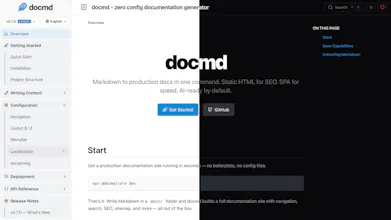
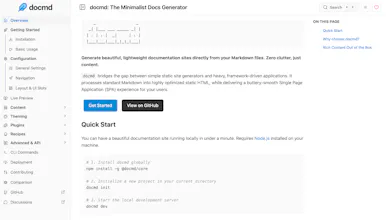
Generate beautiful, lightweight static documentation sites directly from your Markdown files with docmd. Zero clutter, just content.
docmd gallery image
docmd gallery image
docmd gallery image
docmd gallery image
docmd gallery image
docmd gallery image
Free
Launch Team / Built With
Anima - Vibe Coding for Product Teams
Build websites and apps with AI that understands design.
Promoted

What do you think? …

Ghazi
Maker
šŸ“Œ
šŸš€ Hey Product Hunt community! I'm Ghazi, and I'm incredibly excited to finally share docmd with all of you! šŸŽ‰ Like many developers, I often found myself needing to create clean, fast, and good-looking documentation for projects, but felt existing tools were sometimes more complex than necessary, especially when all I wanted was to write Markdown and have it just work. That's why I built docmd - a "Zero clutter, just content" static site generator. It's a Node.js CLI tool designed to transform your Markdown files into beautiful, lightweight documentation sites with minimal fuss. Think: āœļø Markdown First: Standard Markdown with simple YAML frontmatter is all you need. šŸŽØ Beautiful Defaults: Comes with clean, responsive light/dark themes and syntax highlighting out-of-the-box (the "Sky" theme is pretty slick!). āš™ļø Simple & Fast CLI: docmd init, docmd dev for live preview, and docmd build. That's the core. 🧩 Custom Containers: Easily add richer components like callouts (:::tip), cards, and steps directly in your Markdown. šŸ”Œ Built-in Plugins: Essential SEO, Analytics (Google), and Sitemap generation are ready to go. šŸŒ Deploy Anywhere: Generates a standard static site/ folder you can host on GitHub Pages, Netlify, Vercel, etc. In fact, the entire documentation site for docmd (https://docmd.mgks.dev - definitely link this!) is built using docmd itself! Whether you're documenting an open-source project, an internal tool, an API, or just want a simple way to publish Markdown content online, docmd aims to make it straightforward and enjoyable. I poured a lot of effort into making this both powerful enough for real-world docs and simple enough to not get in your way. I'd be thrilled to hear your thoughts, feedback, and answer any questions you might have! What are your biggest pain points with documentation tools? Thanks for checking out docmd! šŸ™
Ashish Verma

@mgksĀ congratulations.

@mgksĀ Good luck with your luanch!

Ashish Verma

Oh man! what a relief, tons of time saved with docmd. Already was on paid option but wish to switch now. Good work!