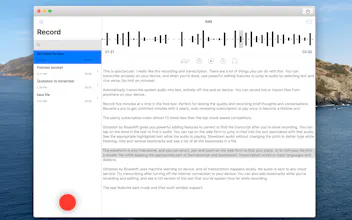
Ada Dictation automatically transcribes spoken audio into text, entirely offline. Import or record for live transcripts. Multiple languages supported. Use synced timestamps to edit the audio. Tap on text to jump to the audio.
How does this compare to https://otter.ai ?
Why would I want to pay for Blueshift when Apple provide dictation options and services such as Otter offer it at a more competitive rate (free)?
@hellotom hi Tom. Otter does not offer unlimited minutes of transcription. It’s 600 minutes a month, which is generous, but if you have a backlog of files or regular interviews or extensive dictation, that can go away quickly. Otter.ai rates can go up to $100 per year. And it is not offline, if you’re concerned about privacy. And it’s only available in English. Apple’s dictation does not allow you to transcribe already recorded files. And Apple’s keyboard cuts out after a minute and doesn’t give you saved audio with timstamped synced words for editing.
Hi everyone! I’m proud to announce the Mac version of Dictation by Blueshift.
It does all of its speech recognition on device. This makes the recordings more private, and since it doesn’t depend on reoccurring costs through a cloud service, we can offer an unlimited number of minutes! I’ve seen transcription services that can cost $100 a year and still only offer a limited number of minutes.
And, of course, since no automated transcription service gets it perfect, I wanted to add high quality editing tools. So all the text is synced with the audio time stamps so that you can select text to immediately hear the audio and tap the audio waveform to jump to the text.
And as a Mac app should, you can open multiple windows, we have numerous keyboard shortcuts, and you can drag and drop audio and video with audio to be transcribed.
Let me know what you think!
Edit: As a quick note, the app requires macOS 10.15.2, the latest version of Catalina. That's the version that allows for the offline use of system speech recognition.
Report
@waller_matthew How are you guys currently collecting user feedback? I'd love to talk to someone within your startup about that workflow!
Report
Reviews
No reviews yetBe the first to leave a review for Ada Dictation, for Mac




Ada Dictation, for Mac
Ada Dictation, for Mac