

CommentCanvas
Turn Comments Into Sanpshots
7 followers
Turn Comments Into Sanpshots
7 followers
CommentCanvas helps YouTube creators instantly turn comments into beautiful, shareable snapshots - without manual screenshots. Paste a video link, filter comments by sentiment, detect audience questions, analyze emotions, and export styled images in bulk. It’s not just a screenshot tool, but a comment insights workspace for smarter content planning and audience understanding.
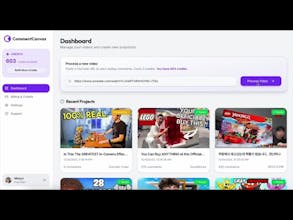

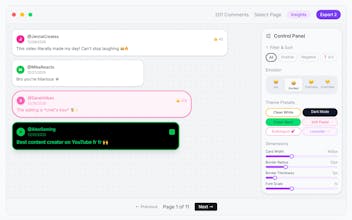


CommentCanvas makes engaging and organizing feedback around content much more intuitive — transforming comment threads into visual, contextual spaces feels like a practical way to keep teams aligned without losing the nuance of each idea.
Hey Product Hunt 👋
Quick update on a new feature I’m building next: Social Canvas 👀
While working on CommentCanvas, I realized creators often want to share or feature existing social posts—their own or others’—but the raw screenshots usually don’t look great. Cropping, resizing to 1:1, adding backgrounds… it’s all manual work again.
So instead of taking a post URL, Social Canvas starts from a screenshot of a social post. You upload the screenshot, and it automatically turns it into a clean, square (1:1) social-ready image with beautiful backgrounds and preset styles (gradients, glow, solid, transparent, etc.). No heavy editing controls—just fast, polished results.
The idea is simple:
turn messy screenshots into shareable, featured visuals, perfect for reposts, highlights, carousels, or inspiration posts.
It’s still tagged as Beta, but I’m excited about how useful this could be for creators and social media managers. Would love feedback on this direction or ideas for presets you’d want to see 🙌