Hello Product Hunt! I’m Dmitry, founder of ChatAndBot 😉.
💡 How to use ChatAndBot? It is very simple.
The only thing you need to do is create an account and copy the JS code to your site. That's all. After that, you can communicate with your clients online.
Key features: 🔑
No branding - There is no ChatAndBot branding on the widget, even on the free plan.
Multilinguality - If necessary, you can translate the live chat widget into 168 languages.
The language is selected depending on the browser settings.
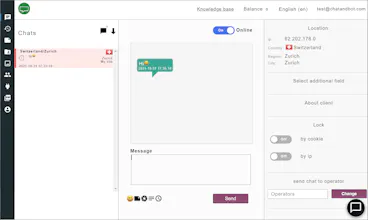
Client cards - You can configure client cards. Add required fields and delete unnecessary ones.
ChatBot - When you use ChatAndBot, you can add a chatbot to your chat. Chatbot settings allow
you not only to answer standard questions, but also to organize dialogs.
Chatbot API - If you have your own application and only need in a chatbot, you can connect to it
by using simple API.
Other features: 🚀
Response templates - Ready-made answers to standard questions. This functionality allows you
to answer questions simply by choosing an answer.
Peeping at the visitor's typing - You can see what the visitor is typing and prepare in advance for
the answer.
Request for customer information - During or before the chat, you can send a form to request
information about the client.
Ban Visitors - You can block unwanted visitors by IP or cookie.
Transferring a chat to another operator - During communication, chats can be transferred to
other operators.
Departments - Operators can be grouped by department. If you add a department selection on
the chat widget, then the question will be sent to operators from the selected
department.
Statistics - Statistical reports.
Cobrowsing - You can watch what page of your website the visitor is on and prompt him by
highlighting elements of the site. For example, if a visitor cannot find a button,
then you can highlight it.
Using ChatAndBot you can chat with your website visitors in the following ways: ⛷️
1. By your account on chatandbot.
2. Windows application.
3. Android app.
Your feedback is essential to improve the product. If you have any questions, please ask them. ❤️




ChatAndBot
ChatAndBot
HireQuotient