brickssync.com

brickssync.com

File-based template migrations for Bricks Builder made easy

8 followers

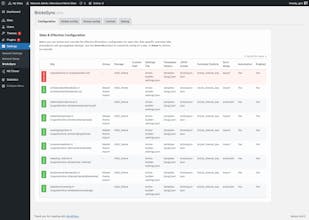
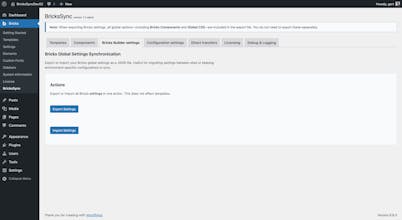
BricksSync keeps your Bricks templates, settings, and components perfectly in sync. Turn them into clean, Git-friendly JSON for version control and migrations — or pull them directly from another site with built-in Direct Transfers. Reliable. Transparent. Built for every kind of Bricks user.
brickssync.com gallery image
Payment Required
Launch Team / Built With
Intercom
Intercom
Startups get 90% off Intercom + 1 year of Fin AI Agent free
Promoted

What do you think? …

Gert Wierbos
Maker
📌
BricksSync started with a very real problem I encountered while building a WooCommerce site in Bricks Builder. The site was processing daily orders, and I was working with both development and production environments. I needed a safe and predictable way to push template changes live using Git, version control, and a traditional file-based workflow, without touching the database. Because Bricks stores templates, components, styles, and settings in the database, there was no good or automated way to transfer theme changes between environments. That limitation is what pushed me to create BricksSync. The original idea was small: automatically import and export templates. Once other developers began using early versions, their feedback helped shape the entire direction of the product. BricksSync gradually grew into a tool that adds the missing developer workflow on top of Bricks without altering how Bricks itself works. Today, BricksSync provides template syncing, component syncing, global settings syncing, direct transfers between sites, name-based identity to avoid ID collisions, support for multisite and parent theme workflows, and a Git-friendly way to store everything so your Bricks-powered “theme” can be fully version controlled. One of the core principles behind BricksSync is that it remains nonintrusive and optional. It doesn’t replace Bricks, override anything, or leave a footprint. You can add it to a project or remove it whenever you want. It simply gives you a file-based, professional development workflow on top of what Bricks already does. What I’m most proud of is the community that has formed around it. Early adopters have been incredibly supportive and full of ideas. Many of the features that exist today were born from real-world workflows shared by other developers. If you’ve ever wished Bricks had a cleaner, more predictable, Git-ready way to work across development, staging, and production, I hope BricksSync offers exactly that. I’m happy to answer any questions.