
Aye
Your teachable AI intern for everyday browser work
173 followers
Your teachable AI intern for everyday browser work
173 followers
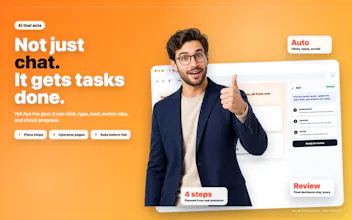
Aye is a Chromium-based AI browser for macOS and Windows that gives web work a teachable AI intern. It reads visible pages, plans steps, and works through normal browser actions: clicking, typing, scrolling, switching tabs, and checking results. Summarize pages, research across tabs, draft replies, and automate repeatable workflows. Turn recurring tasks into reusable skills, separate accounts with profiles, and stay in control with reviewable progress and approval for sensitive steps.




Hi Product Hunt! I'm excited to share Aye, an AI browser for macOS and Windows built by Zhonglin Liu.
Browser work often starts with a simple goal but turns into a long chain of reading, comparing, clicking, and rewriting. Aye helps carry that work forward through visible, reviewable actions on real websites.
It can summarize and translate pages, research across tabs, draft content, and automate repeatable workflows. Recurring tasks can be turned into reusable skills, while sensitive steps stay under your approval.
I'd love to hear what browser workflows you would want Aye to handle.
@siyan_chen1 I've hit the wall with browser agents on the 5% of edge cases that break a recorded flow. When a layout changes or a step fails, does Aye stop and ask or improvise and risk the wrong action? And how much correction before a task actually sticks?
@artem_fedorovich Good question. I actually asked Aye about this and then I tried it by myself. It can adjust when the next step is clear, but it stops and asks if it hits something uncertain, like a login, CAPTCHA, or sensitive action.
A correction sticks during the current task and is kept if you resume from a checkpoint. A new session starts fresh, though, so long-term corrections need to be saved into the skill or its instructions.
@siyan_chen1 As users build dozens of reusable browser skills, how do you plan to organize, discover, and recommend the right one at the right moment?
@priyam_sekra1 Well,I’m sharing Aye as the hunter, so I can’t speak for Zhonglin’s roadmap. Right now, the Skills page separates Ready Skills, My Skills, and Recorded Skills, which helps when the collection is still small.
I haven’t seen automatic recommendations yet. Search, tags, recent or frequently used skills, and suggestions based on the current page would all be useful as the library grows. This is good feedback for the maker: https://okaapps.com/support
"teachable" browser agents worry me a bit, once you've taught it a workflow on a site with a login wall, where does that saved credential/session actually live, and what stops it from replaying the taught steps on a page that changed its flow since you trained it
@omri_ben_shoham1 That’s an important security question.I couldn’t find anything public that explains exactly where Aye stores credentials or session data, so I don’t want to make something up. What I could confirm is that Profile windows keep tabs, cookies, sign-ins, and site data separate, and Aye hands sign-in back to the user.
It also reads the current page and checks results instead of simply replaying recorded clicks. It’s probably best to confirm that directly with the maker: https://okaapps.com/support
@omri_ben_shoham1 Thanks for raising this. I double-checked: login and session data are stored locally on your device, just like in a regular browser.
If a site changes and the workflow starts doing the wrong thing, you can edit the skill’s prompt and save the correction for future runs. That way, you decide what gets saved instead of Aye quietly rewriting the skill on its own.
Browser agents tend to hold up in the demo and fall apart by run 50. Teaching flows helps, but recovery is the test, what happens when the DOM shifts or an auth step appears mid-task. How does Aye handle a flow that partially fails halfway through? Rooting for this category to mature.
@shivangit26 That’s a fair question. Aye works from the page in front of it and checks the result instead of only replaying a fixed path. If a task is interrupted, its checkpoint keeps the current progress, so it can resume instead of starting from zero.
Sign-ins and CAPTCHAs are handed back to the user. That doesn’t mean every page change can be handled automatically, but it avoids blindly pushing ahead when the flow no longer matches.
'teachable' is the right word, most browser agents just replay. when i correct it once, does that generalize or only fix the exact flow i taught?
@andrewzakonov Artem raised a similar point above, so I asked Aye about it and I also tried it. As I mentioned in the reply, a correction sticks for the current task and its checkpoint, but it doesn’t automatically change other workflows or future sessions. If you want it to become part of the taught flow, you save it back into the skill.
I actually like that boundary. One correction shouldn’t quietly change everything else.
Nice concept. How does it handle websites where actions require confirmation dialogs or multi-step authentication?
@dhiraj_patel5 I checked Aye’s own FAQ on this. Sign-in and CAPTCHA are handed back to the user, while form submission, payment, and other high-risk actions require explicit approval.
So it shouldn’t try to push through multi-step authentication or a sensitive confirmation on its own. The user stays involved at those points.
The teachable-skill model is the right call — recording a flow once beats re-prompting an agent every run. Two setup questions in my lane: where does the reasoning actually run — a hosted model on Aye’s side, or can I point it at my own API key or a local model? And do the recorded skills and profiles live on-device, or do they sync to an account so I can reuse them across machines?
@noctis06 Great questions! Aye includes built-in model access, and you can also connect your own OpenAI-compatible or Claude-compatible endpoint with your own API key. A local model can be used as well if it exposes a compatible endpoint.
Skills and profiles are currently stored locally on your device rather than synced to an account. Just to clarify, profiles are separate browser identities for isolating cookies, login sessions, tabs, and site data, while skills are shared across profiles.
Turning a recurring task into a reusable skill is the part that stands out to me. When a skill runs again with different inputs — new names, dates, another sheet — does it generalize, or is it tied to the exact values from when you taught it? Congrats on the launch!
@andrei_rebrov1 Thanks, Andrei! Aye is designed to understand the workflow rather than simply replay the exact values from the original teaching session.
So the names, dates, files, or spreadsheet content can change between runs, and Aye should adapt to the new context. If it doesn’t handle a particular variation correctly, you can adjust or re-teach the skill to improve it.
@siyan_chen1 That's exactly what I was hoping for — generalizing the workflow instead of replaying fixed values is what makes a "skill" genuinely reusable, and having re-teach as a fallback for the odd variation is a smart touch. Thanks for the clear reply — congrats again on the launch!
@andrei_rebrov1 Glad that helped! That’s what made the idea of reusable skills click for me too. Thanks for the thoughtful question and the kind words, Andrei!