Attendant for Zoom

Attendant for Zoom

Manage meeting participants

0 followers

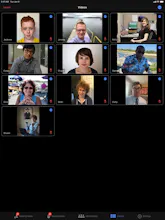
Attendant for Zoom works like a sidecar to your Zoom meeting, helping you simplify tedious tasks, perform useful automations, and view lots of video feeds. Especially helpful during interactive or Q&A meetings, such as in a virtual classroom environment.
Attendant for Zoom gallery image
Launch tags:iOSProductivityEducation
Launch Team
Anima - OnBrand Vibe Coding
Design-aware AI for modern product teams.
Promoted

What do you think? …

Jeremy Provost
Hi there! Thanks for checking out Attendant for Zoom. Once the pandemic started we found ourselves in lots of Zoom meetings but we kept running up against roadblocks or repetitive tasks we wanted to automate. That's where Attendant for Zoom was born. We're hoping this can be useful in a classroom environment as well. There's lots you can do but I'll just highlight a few items: - Fit LOTS of videos on screen, especially on an iPad. - Manage raised hands: tap a participant from the Raised Hands screen to ask to unmute, lower their hand (or change this to all hands in Settings), and mark a comment (which can be used to encourage even participation). - Tap a participant and choose Mute Everyone Else to shut off everyone else's microphones. - Manage participants right from their video feed (rather than having to search for them in the participants list). Would love to hear your feedback.