

AI Side Panel
AI Side Panel: All your AI tools, one click away.
6 followers
AI Side Panel: All your AI tools, one click away.
6 followers
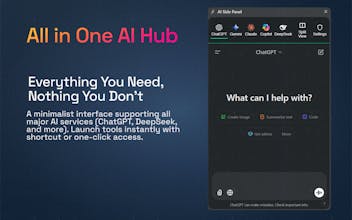
AI Side Panel is a unified AI workspace for Chrome, Edge, Android, and iPhone that gives quick access to major AI services, split-view comparison, custom services, quick-send actions, and conversation history in one place.
This is the 2nd launch from AI Side Panel. View more
AI Side Panel
Launching today
AI Side Panel is a unified AI workspace for Chrome, Edge, Android, and iPhone that gives quick access to major AI services, split-view comparison, custom services, quick-send actions, and conversation history in one place.
Free
Launch Team

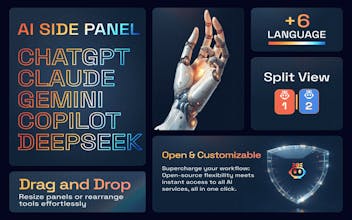
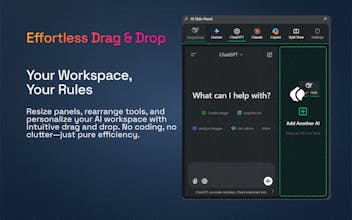
AI Side Panel is built for people who use AI constantly and are tired of bouncing between tabs, apps, and providers. Instead of treating each model like a separate destination, it brings major AI services into one workspace across browser and mobile. The Chrome extension and GitHub repo describe support for services including ChatGPT, Gemini, Claude, Copilot, DeepSeek, Grok, Mistral, Qwen, GitHub Copilot, and Perplexity, while the mobile apps position it as a unified AI command center.
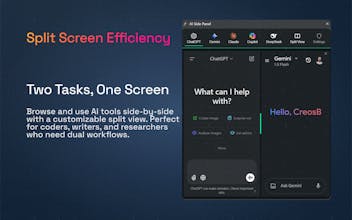
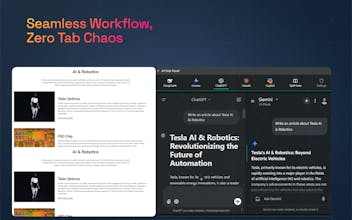
The core value is speed and workflow. You can open AI in a browser side panel, use split view to compare answers side by side, switch providers quickly, and add your own custom services. The extension also supports right-click actions for selected text, prompt templates, smart content extraction, prompt history, and a searchable conversation hub.
On mobile, the product extends that workflow with system-level sharing. The Android and iPhone listings describe smart share, highlight-and-send flows, multi-model switching, split view, optional local history, dark mode, and a distraction-free interface aimed at developers, creators, and power users.
A strong Product Hunt angle here is that this is not “just another chatbot app.” It is a workspace layer for using many AI tools faster, comparing them more easily, and sending content into them from wherever you are already working. That framing is directly supported by the store copy and repo positioning.
Key features
Access multiple AI services from one workspace instead of switching tabs constantly.
Split View / Comparison Mode for running two AI services side by side.
Quick toggle in the browser via the extension icon or Alt + Q.
Custom service support so users can add their own AI sites.
Right-click / context menu actions for sending selected text with editable templates.
Smart content extraction that cleans text from articles, repos, and social posts for AI analysis.
Conversation Hub and optional history for finding past work faster.
System-wide sharing on mobile through Android Share and iOS Share flows.
Available on Chrome, Edge, Android, and iPhone.
The browser extension is also presented as open source in its store and GitHub pages.