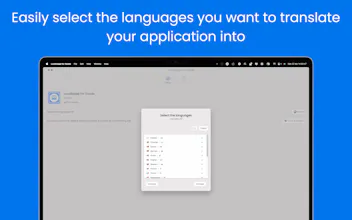
Manually translating text in Xcode is tedious. Localizapp simplifies it! It’s an Xcode extension that lets you translate yourxcstrings file directly into 20+ languages without leaving Xcode—no more copy-pasting!
👋 Hey, Product Hunt! I’m Arturo, and I’m thrilled to introduce Localizapp!
If you’ve ever struggled with manually translating text in Xcode, you know how tedious it can be. Localizapp isn’t just another translation tool—it’s an Xcode extension that lets you translate your `.xcstrings` file directly into 20+ languages without leaving Xcode. No more copy-pasting!
How to Use the Extension in Xcode
1️⃣ First, enable the extension in macOS System Settings → Login Items & Extensions → Xcode Code Editor.
2️⃣ Once activated, the extension and its options will appear in Xcode.
3️⃣ Right-click your `.xcstrings` file and set it to 'Source Editor' mode to make the extension visible in Xcode’s 'Editor' menu.
Translation Options
✔ Translate directly in Xcode – Use the option 'Translate your .xcstrings file directly' (note: large files may take some time).
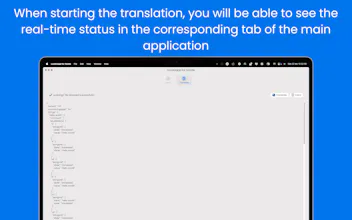
✔ Send your file to the main app – Use the Xcode extension to translate all texts based on the languages selected in your settings.
✔ Drag and drop for translation – Simply drop your `.xcstrings` file into the 'Translate' tab in the main app and save the translated version to your device.
💡 Want to learn more? Check out the wiki to stay up to date on how it works—translating your project has never been easier!
🛠 Have feature requests or found a bug? Drop your suggestions in the dedicated section of the app.
✨ Thanks for checking out Localizapp! I’d love to hear your thoughts and feedback. Let me know what you think, and happy coding!
Report
Super cool! Very useful tool for each developer, more reliable than ChatGPT or similar thanks to deepL integration!
GitHub Contributions on Stream Deck
Super cool! Very useful tool for each developer, more reliable than ChatGPT or similar thanks to deepL integration!
GitHub Contributions on Stream Deck
@aficionado123123 thanks!