Table Bunny

Table Bunny

AI-Powered Tool to Effortlessly Edit and Automate Excel File

13 followers

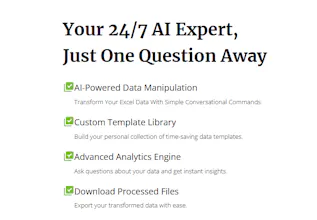
Table Bunny is an AI-powered tool that simplifies Excel & CSV editing. Upload your file, use AI-driven prompts for modifications and analysis, and instantly download the results. Automate workflows and save time with smart, efficient data management.
Table Bunny gallery image
Free Options
Launch tags:Spreadsheetsβ€’Artificial Intelligenceβ€’Tech
Launch Team / Built With
Anima Playground
AI with an Eye for Design
Promoted

What do you think? …

Jack
Maker
πŸ“Œ
πŸŽ‰ We're live on Product Hunt! πŸŽ‰ Welcome to Table Bunny – the AI-powered tool designed to help you effortlessly manage and automate your Excel & CSV files. Whether you're editing data or analyzing it with smart prompts, Table Bunny makes it simple and efficient. Have questions or feedback? Feel free to ask! We'd love to hear what you think and how we can improve. Thanks for supporting us! πŸ™Œ #AI #Excel #CSV #Automation #DataManagement
Jack
Maker
πŸš€ Thank you for the amazing support! πŸš€ We're so grateful for the feedback and excitement surrounding Table Bunny! πŸ™ Your input has been incredibly helpful, and we can’t wait to keep improving the tool. Here's a deeper look at how Table Bunny works and why it’s perfect for Excel & CSV users: πŸ’‘ How to Use Table Bunny: Upload Your Files: Simply upload your Excel or CSV files, and you're ready to go! Use AI-Powered Prompts: Instead of manually writing formulas or dealing with complex VBA code, just enter a prompt like: "Remove duplicates" "Calculate the sum of column B" "Format date in YYYY-MM-DD" Table Bunny's AI will process the data according to your instructions in seconds, making data management effortless. Save Templates for Reuse: Once you’ve found the perfect formula or transformation, you can save it as a template. This lets you apply the same steps to other files or datasets without starting from scratch each time. Think of it as your personal VBA-free solution! 🎯 Why Table Bunny? No Code Required: Save time with simple AI-driven prompts instead of learning complex formulas or VBA scripting. Efficiency: Automate repetitive tasks in seconds and focus on what truly matters. Templates: Reuse your customized workflows and simplify future tasks. Ready to take your data management to the next level? πŸ’₯ πŸ‘‰ Table Bunny - AI-powered Excel & CSV Editing We'd love to hear your thoughts on how we can make it even better. Keep those suggestions coming, and thanks again for your support! πŸ™Œ #AI #Excel #CSV #Automation #Productivity #DataTools #Tech #DataManagement #NoCode
Jack
Maker
πŸš€ Exciting Update! πŸš€ I’ll be dropping a 3-day free trial code for Table Bunny tonight! πŸŽ‰ If you’ve been curious about how AI can simplify your Excel & CSV workflow, this is your chance to try it out for free. Stay tuned! β³πŸ°πŸ“Š #TableBunny #AI #Excel #DataAutomation #FreeTrial #StayTuned
Jack
Maker
πŸŽ‰ Big news! πŸŽ‰ Get a FREE trial of Table Bunny and start building today! Use code FREETRIAL at checkout. See details at our homepage: https://home.tablebunny.com/ #TableBunny #FreeTrial #LimitedTimeOffer #excel #vba #excelassistant
Hossein Mojabi

I absolutely LOVE Table Bunny! It’s been a total game-changer for me. What used to take hours with Excel formulas now takes just a few clicks. The AI is so intuitiveβ€”it feels like it just gets what I need. I especially love how smooth and fast the process is, from uploading my files to downloading the final results. It’s saved me so much time, and I actually enjoy working with my data now. Thank you, Table Bunny, for making my workflow easier and stress-free!