Launching today

Pipemesh
Merge at agent speed. Never lose control.
1 follower
Merge at agent speed. Never lose control.
1 follower
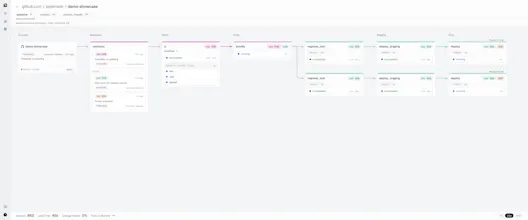
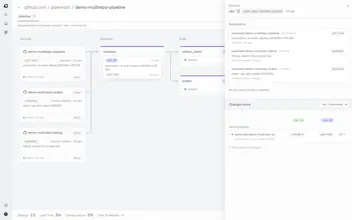
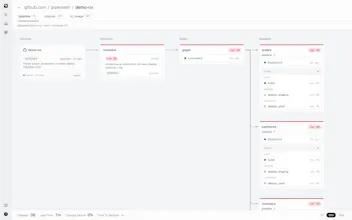
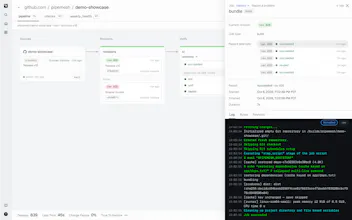
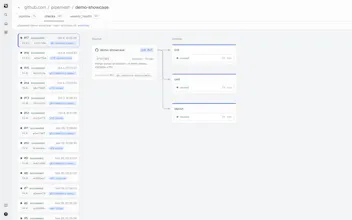
CI tools think in runs: one per merge, each an island. Pipemesh thinks in revisions: every merge moves through your pipeline job by job, so one live board always says what's deployed, what's waiting, and why. Newer work supersedes older. Jobs skip by fingerprint (files, definition, consumed artifacts), not path filters. Gates and rollbacks live in the pipeline. Jobs run on hosted runners, your own, or the GitHub Actions workflows you already have, and agents read the same state in one API call.

Hi Product Hunt 👋 I'm Gonzalo, and I built Pipemesh.
Why I built it. CI was designed for a slower world: one run per merge, every run its own little island, and a person who keeps the whole picture in their head. That works fine at ten merges a day. Once agents start opening and landing pull requests, main moves many times an hour, and the only question that really matters (what's in production right now, what's stuck behind it, and why?) turns into digging through run lists. I wanted the tool to keep that picture for me.
What it is. Pipemesh is a CI/CD control plane for GitHub. Every merge becomes a revision that moves through your pipeline job by job, so there's one live board that always shows where each revision is, what's waiting, and what's live. A few nice things come out of that:
Newer revisions supersede older ones instead of piling up behind a slow or failed stage.
A job skips only when its files, its definition and the artifacts it consumes match its last successful run. No path filters against the previous commit. And after a failed deploy, the next one always runs in full.
Gates and rollbacks are part of the pipeline, with the exact artifacts that shipped. No reruns.
Agents get the same state in a single API call.
What you keep. Jobs can run on hosted runners, on your own, or as the GitHub Actions workflows you already have. Pipemesh kicks them off and promotes on the result.
Try it. The fastest way is to let your coding agent do it: add the Pipemesh skill (npx skills add pipemesh/skills, or the plugin in Claude Code) and ask it to "set up Pipemesh for this repo". It reads the CI you already have, writes the pipemesh.yaml, checks it, and offers you a pull request. Prefer to do it by hand? Install the GitHub App, add a pipemesh.yaml, merge. It's free during launch: 2,000 hosted build minutes a month and 20 vCPU at once, and your own runners aren't metered at all.
Docs are at https://pipemesh.io/docs/getting-started, and here's a live board you can poke around without signing in: https://pipemesh.io/github.com/pipemesh/demo-showcase/-/pipeline