Launching today

meepo
A comfortable home for Claude Code on your Mac
2 followers
A comfortable home for Claude Code on your Mac
2 followers
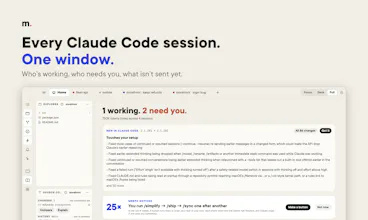
Every Claude Code session in one Mac window: who's working, who needs you, and what each push changed for your users — in plain words, not diffs. Git, CI, voice and your own automations right beside it. Claude Code does the work; meepo is its home.


Hi Product Hunt! I build with Claude Code every day, across several projects at once — and I love it. What I kept losing was the overview: which terminal is waiting for me, what did that session actually change, is the deploy through.
So I made meepo: a native Mac app that gives Claude Code a comfortable home. It runs your real `claude` — your settings, skills and hooks — and adds what's around it:
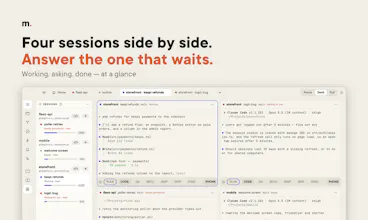
• every session in one window, and at a glance who needs you — including Claude Code agents running outside meepo
• what each push changed, explained for your users, with what to check before shipping
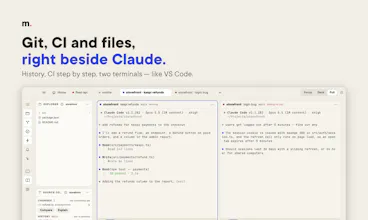
• git like VS Code (history, discard, compare), and CI step by step (GitHub and GitLab) next to each session
• talk instead of typing: SPEAK, STOP to fix a word or add more, SEND
• your own automations — a button that runs steps in order, a check after every answer — saved as plain Claude Code files
It's for Claude Code only, on purpose: when Claude Code gains something new, meepo builds on it instead of reinventing it.
Free and open source (MIT). Install with Homebrew: brew tap azamatfg/meepo, then brew trust azamatfg/meepo, then brew install --cask meepo. Try it first with made-up projects: open -n -a Meepo --args --demo
I'd love to hear what would make Claude Code even more comfortable for you.