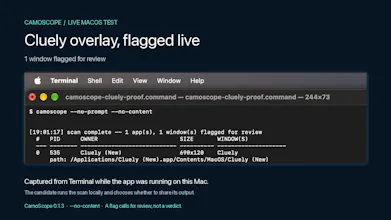
In an online interview, a candidate's screen share may leave out app windows. Ask them to run Camoscope on their Mac, with consent, and share the results. It shows which apps own windows worth checking, so you have something concrete to ask about. In our macOS test, it flagged a Cluely overlay. It cannot see what reaches your call or prove cheating; check the actual share together.
Hey Product Hunt, I'm Raj.
While building [SmaranQ](smaranq.com), I experimented with app windows that could stay visible on a Mac but might not appear in a screen share. That got me thinking about remote interviews: how would the interviewer know what they were missing?
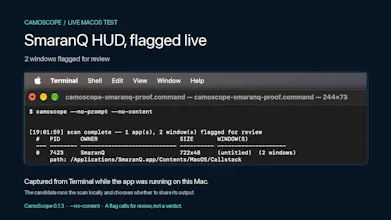
I built Camoscope to help check. You ask the candidate to run it on their Mac, with their consent, and share the results and let it running through out the interview process. It flags windows for review and tells you which apps they belong to. That gives you something specific to ask about. You can then check the share together, adjust it, or ask the candidate to close an app.
In our hands-on macOS test, Camoscope flagged a Cluely overlay. That's a result from that setup, not a promise that it catches every version or every hidden window.
Camoscope checks window information from macOS; it cannot see what reaches your call. A flagged window needs checking, and an empty scan does not guarantee that everything is visible. It also cannot tell whether the candidate selected full-screen or app-only sharing.
It's a free macOS command-line tool, currently in public beta. Results stay on the candidate's Mac unless they choose to share them.
To try it, install `python3 -m pip install camoscope==0.1.3` and run a scan without reading app text: `camoscope --no-prompt --no-content`.
If you run remote interviews, I'd like to hear whether this fits your process and where it falls short.
PyPI: https://pypi.org/project/camoscope/
— Raj