No reviews yetBe the first to leave a review for OpenVoice
Maker
📌
Hey Product Hunt 👋
I built OpenVoice because I wanted WisprFlow-style dictation without sending my voice to someone else's servers.
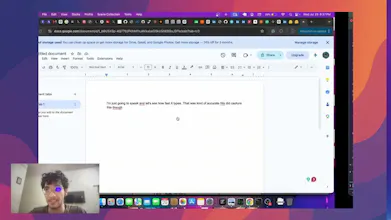
How it works: hold a hotkey, talk, and your words land in whatever app you're in -- Slack, Mail, your editor, anywhere. Everything runs on your Mac.
What makes it different:
🔒 Fully on-device. Transcription and cleanup both run locally (Whisper/Parakeet + a tiny local LLM). No cloud, no account, nothing leaves your machine.
✨ It cleans up what you said. Not just raw transcription - a local model removes filler words, fixes punctuation, and adapts to the app: a casual message in Slack, a proper email in Mail, bullet notes in a notes app.
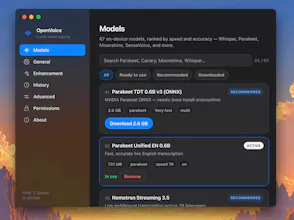
🎛️ Yours to control. 65 speech models to choose from, adjustable rewrite levels, custom prompts, and per-app auto-styling. Runs offline.
🆓 Free and open source.
One heads-up: I don't have an Apple Developer account yet, so the app isn't notarized. On first launch, macOS will warn you — right-click the app → Open (or allow it under System Settings → Privacy & Security) to get past Gatekeeper. Because it's unsigned, you'll also need to re-grant Microphone and Accessibility permissions after each update. An Apple-signed build is on the roadmap — being open source, you can also build it yourself from source in the meantime.
It's early, and I'd genuinely love your feedback, especially on the enhancement quality and which apps you'd want auto-styling for. AMA!