
ScreenExplain — anything on your screen
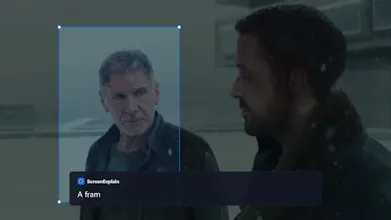
Hit a hotkey, drag a box, get an instant answer
8 followers
Hit a hotkey, drag a box, get an instant answer
8 followers
Drag a box over anything on your screen and ScreenExplain tells you what it is. For Windows 10 & 11.Press a hotkey, drag a box over anything on screen — a movie still, an error, a foreign menu, a chart, a line of code — and ScreenExplain tells you what it is. A short answer appears next to your selection; ask follow-ups from there. Free to start, no account or key needed — or use your own Claude, GPT or Gemini key for unlimited use. Screenshots go only to the AI you choose, nowhere else.

Free Options
Launch Team

CloudflareDeploy serverless functions globally in seconds
Promoted
