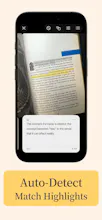
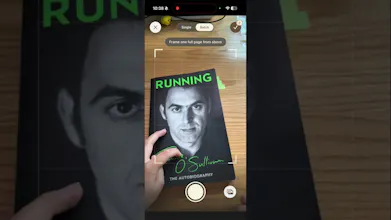
Inkive turns your physical book highlights into structured digital assets, instantly. Read naturally with your favorite physical highlighters or pencils, then flip and scan. Inkive’s local-first AI automatically detects your physical marks, leverages Apple Vision to extract text with high precision, and organizes them by book. Add your own reflections and export as Markdown. No accounts, no internet required, and zero data leaves your iPhone. The ultimate tool for your digital second brain.
No reviews yetBe the first to leave a review for Inkive
Maker
📌
Hey Product Hunt! 👋
Thank you so much for checking out Inkive today!
As a heavy reader who loves both the tactile feel of physical books and the organization of digital notes, I built Inkive to solve my own daily frustration. I wanted a bridge that let me keep my physical reading habits—using real pens, highlighters, and paper—without the friction of manual transcription or clunky scanning apps.
By keeping everything 100% local on-device (powered by Core ML and Apple Vision), Inkive ensures your reading notes and thoughts remain entirely private to you, with the added benefit of being lightning-fast and working completely offline.
Since this is our very first launch, I’d love to get the discussion started and hear from you:
- What does your current reading workflow look like? How do you currently bridge the gap between your physical books and your digital second brain?
- What features would you love to see next? (We are already planning more organization tools!)
I’ll be active in the comments all day to answer your questions, chat about local-first tech, or just talk about books. Can't wait to hear your thoughts! 🚀
Report
Does it handle handwritten notes in the margins, or just the physical highlights themselves? Most of my annotations are actually pen notes next to the text.
Report
Maker
@talhakhalidmtk This version is mainly for physical highlights purposes - the handwriting text feature isn't available yet. Future plans include adding recognition for margin notes. Thanks
Does it handle handwritten notes in the margins, or just the physical highlights themselves? Most of my annotations are actually pen notes next to the text.