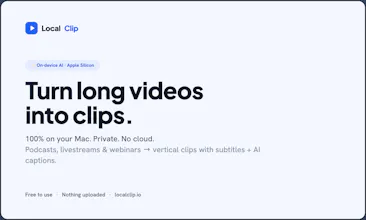
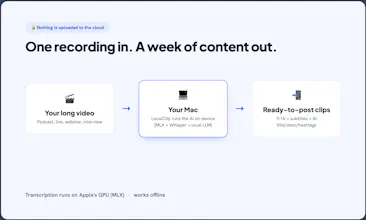
LocalClip turns long videos — podcasts, livestreams, webinars — into short vertical clips with subtitles and AI-generated titles, descriptions and hashtags. Everything runs locally on your Apple Silicon Mac: nothing is uploaded, it works offline, and it's a one-time payment, not a subscription. Other AI clippers upload your footage to the cloud and bill monthly; LocalClip keeps the whole job on your machine — private and yours. Free to use; a one-time $49 Pro removes the watermark.
Hey Product Hunt 👋 I'm Lou.
I kept trying the popular AI clipping tools, and two things always bugged me: they upload your video to their servers, and they charge a monthly subscription. For client calls, unreleased podcast episodes and course recordings, uploading is a dealbreaker — and paying every month for something I use in bursts made no sense.
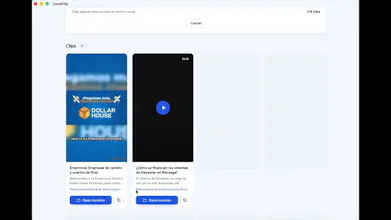
So I built LocalClip to do the whole thing on your Mac. You drop in a long video and it transcribes it, finds the best moments, and cuts several vertical clips with subtitles and ready-to-post titles, descriptions and hashtags. Nothing leaves your machine.
The fun part was making the AI run fully on-device: transcription on Apple's MLX (Metal GPU) with Whisper, and captions from a small local LLM — no cloud, no per-minute cost. It started as a tool for my brother's content; then I realized the local-first, private angle was the whole point, so I made it generic.
It's free (clips carry a small watermark); a one-time $49 removes it. Apple Silicon only for now — there's a Windows waitlist on the site.
Would love your feedback, especially on the local-LLM caption quality 🙏
Report
Have you considered adding a "highlight preview" feature that exports a 30-second montage of the best moments before you commit to clipping? Would save a ton of time triaging hour long webinars.
@demet44834 Thanks for the comment. That's actually one of the use cases I had in mind, so I'm adding it to the roadmap.
One thing I found while building it is that I still need the transcript to figure out the best moments. So the preview still has to transcribe the video once.
What I'm thinking is generating a quick 30-second highlight reel first. If it looks good, you just click "Generate Clips."
Really like the idea. Thanks for the suggestion! 🙌
Report
Really appreciate that it actually runs fully on-device instead of sneaking uploads to the cloud, that takes real engineering chops for AI video work. The one-time pricing is honestly refreshing too.
Report
No reviews yetBe the first to leave a review for LocalClip
Image Upscaler AI
Have you considered adding a "highlight preview" feature that exports a 30-second montage of the best moments before you commit to clipping? Would save a ton of time triaging hour long webinars.
Image Upscaler AI
@demet44834 Thanks for the comment. That's actually one of the use cases I had in mind, so I'm adding it to the roadmap.
One thing I found while building it is that I still need the transcript to figure out the best moments. So the preview still has to transcribe the video once.
What I'm thinking is generating a quick 30-second highlight reel first. If it looks good, you just click "Generate Clips."
Really like the idea. Thanks for the suggestion! 🙌
Really appreciate that it actually runs fully on-device instead of sneaking uploads to the cloud, that takes real engineering chops for AI video work. The one-time pricing is honestly refreshing too.