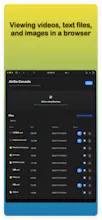
AirGo is a local cross-device file sharing tool that turns your iPhone into a portable file server. No cables, internet, or cloud required. Start the service, and any device on the same network—phones, tablets, computers, smart TVs—can access the link via browser to stream media or browse, download, and upload files.
No reviews yetBe the first to leave a review for AirGo - WiFi File Transfer
Maker
📌
When upgrading to a new phone, you need to migrate a large number of photos, videos, and documents from your old device. Turn on AirGo, access the old phone's address from the new phone's browser, and batch-download all your data—no cloud relay needed, with original quality preserved.
During business trips, when airplane or hotel networks are poor and you want to watch movies stored on your phone on a computer or TV large screen. Start AirGo, and the computer browser can directly play videos from your phone—no file copying required, just click and watch.
In team collaboration, a designer needs to transfer design drafts and sample footage from their phone to a colleague's computer. Launch AirGo, the colleague scans the QR code from their computer to access the file list and downloads directly—no account login required, no third-party tools needed.
At family gatherings, you want to share travel photos and videos with relatives. Turn on AirGo, and family members can scan the QR code with their own phones to browse and download original-quality photos—no need to send them one by one, no compression.
During conference presentations, you need to project a PPT or PDF from your phone to the on-site computer. Enable AirGo sharing, the presentation computer accesses your phone via browser, and the document opens directly on the screen—no data cable, no need to send emails in advance.
When you need to use a colleague's computer temporarily to process files, but you don't have a data cable and logging into WeChat for transfer is slow and cumbersome. Launch AirGo, the colleague's computer browser connects to your phone, you upload the files that need processing, and after processing, download them back—your phone becomes a temporary shared transfer hub.
When your phone storage is nearly full and you need to transfer large files to a computer for archiving. Turn on AirGo, access your phone from the computer browser, batch-download videos and photos to the computer, freeing up phone space—all at wired-like speeds, unrestricted by internet bandwidth.
Report
honestly i was surprised how smooth it was, just opened the link on my laptop and could grab a video off my phone without messing with cables or cloud logins. works great for moving stuff around the house.
Report
Maker
@blentaelr Hey Bülent! Thanks a ton for the kind words and the upvote! 🚀 It’s fantastic to know that AirGo is making it easy to move files around the house without the hassle of cables or cloud logins.
Quick question: are you using the Android or Windows version right now? Also, some exciting news – while the Android and Windows versions are already out, our iOS version is currently going through the App Store review. If everything goes smoothly, it should be live in the next day or two, and you can search for "AirGo - WiFi File Transfer" to download it! 📱
Feel free to reach out if you have any feedback or ideas for what we should build next!
honestly i was surprised how smooth it was, just opened the link on my laptop and could grab a video off my phone without messing with cables or cloud logins. works great for moving stuff around the house.
@blentaelr Hey Bülent! Thanks a ton for the kind words and the upvote! 🚀 It’s fantastic to know that AirGo is making it easy to move files around the house without the hassle of cables or cloud logins.
Quick question: are you using the Android or Windows version right now? Also, some exciting news – while the Android and Windows versions are already out, our iOS version is currently going through the App Store review. If everything goes smoothly, it should be live in the next day or two, and you can search for "AirGo - WiFi File Transfer" to download it! 📱
Feel free to reach out if you have any feedback or ideas for what we should build next!