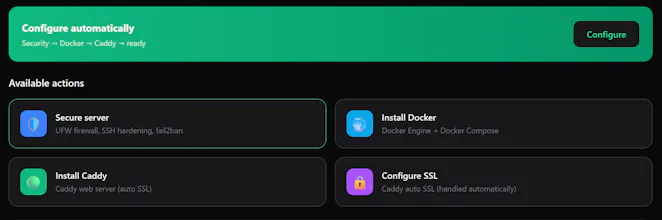
srvly gives you a unified dashboard for all your servers. Your AI agent handles deployments and debugging through a REST API – while you monitor CPU, RAM, disk, and health from one place. 1668+ open-source apps ready to deploy.
No reviews yetBe the first to leave a review for srvly
Maker
📌
Hey Product Hunt! 👋
I built srvly because I was tired of SSH-ing into every server separately. I wanted a single dashboard where I could see everything at a glance – and let my AI agent do the heavy lifting.
srvly is 100% open source (MIT), so you can self-host it on your own server. The cloud version is free for 1 server.
The AI agent integration is what makes it unique: instead of clicking through UIs, your AI assistant (Hermes, Claude Code, etc.) deploys apps and debugs them through a simple REST API.
Stack: Next.js + tRPC + Postgres + Direct SSH (no agent on your servers)
Would love to hear your thoughts and feedback!
– Vellis
Report
How does the AI agent actually decide when to step in versus just flagging issues for me, and is there any way to review its actions before it runs commands on a server?
Report
Maker
@tuncaysabaunct Hi ! Good question! So srvly doesn't actually run an AI agent on its own. Instead it exposes a REST API that your AI agent calls when you ask it to do something like deploy an app or check logs. The agent never acts on its own, it only follows your instructions. Before anything runs there are validation checks, and the agent prompts in the dashboard show the exact commands before execution. Since it's all direct SSH (nothing running on your server) you can review or kill anything at any time. For self hosted users everything is transparent too, the whole stack is Docker Compose running on your own infrastructure so you see exactly what's happening
How does the AI agent actually decide when to step in versus just flagging issues for me, and is there any way to review its actions before it runs commands on a server?
@tuncaysabaunct Hi !
Good question! So srvly doesn't actually run an AI agent on its own. Instead it exposes a REST API that your AI agent calls when you ask it to do something like deploy an app or check logs. The agent never acts on its own, it only follows your instructions. Before anything runs there are validation checks, and the agent prompts in the dashboard show the exact commands before execution. Since it's all direct SSH (nothing running on your server) you can review or kill anything at any time. For self hosted users everything is transparent too, the whole stack is Docker Compose running on your own infrastructure so you see exactly what's happening