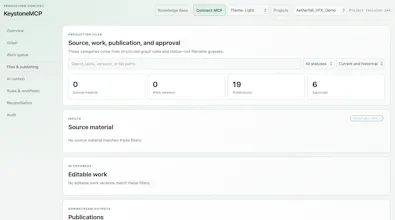
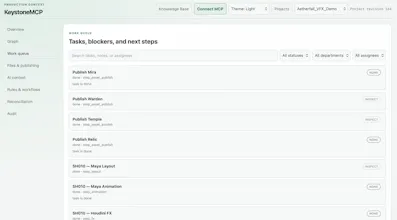
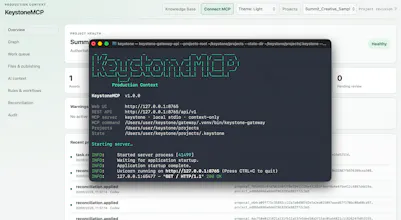
KeystoneMCP is an MCP server that gives AI assistants persistent production context for creative projects. Unlike chatbots or MCP aggregators, it maintains a structured project graph of assets, tasks, versions, dependencies, approvals and file locations. It helps AI organize folders, place files correctly, track work across sessions and identify valid next steps. Built primarily for solo artists working across tools like Houdini, Maya, Nuke and Blender.
No reviews yetBe the first to leave a review for KeystoneMCP
Maker
📌
Hi Product Hunt! I built KeystoneMCP after working on a Houdini AI agent and realizing that tool access only solves half the problem.
An assistant may know how to operate creative software, but it often lacks the wider project context: which version is current, where files belong, what depends on what, and what happened in previous sessions.
KeystoneMCP gives it persistent, structured production memory. It is currently designed primarily for solo artists who do not already have a studio pipeline managing this work.
The launch version is free for eligible indie users to claim and keep. I’d especially appreciate feedback on where project organization creates the most friction in your own AI-assisted workflows. Thanks for taking a look!
Report
The project graph idea is genuinely useful, my Houdini folders are a mess and I kept re-explaining file paths each session. Tracking valid next steps sounds like it could save real time on solo work.
Report
finally something that remembers where my textures live between houdini sessions, the project graph approach actually makes sense for messy solo pipelines
Report
Finally something that remembers where I left my Houdini bgeo files between sessions. The project graph actually makes sense for once.
The project graph idea is genuinely useful, my Houdini folders are a mess and I kept re-explaining file paths each session. Tracking valid next steps sounds like it could save real time on solo work.
finally something that remembers where my textures live between houdini sessions, the project graph approach actually makes sense for messy solo pipelines
Finally something that remembers where I left my Houdini bgeo files between sessions. The project graph actually makes sense for once.