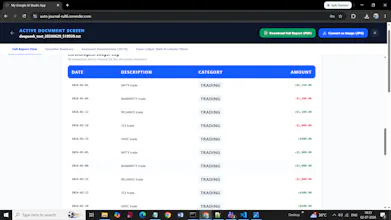
Auto-Journal is an AI-powered financial document parser that automatically extracts transactions from PDFs, Excel, CSV, and DOCX files. Zero manual entry. Multi-format support. Beautiful dashboard with charts, summary cards, and transaction table. One-click export as PDF or Image. Instant insights on income, expenses, P&L, win rate, and category breakdown. Built for retail traders, freelancers, small business owners, and anyone tired of manual data entry.
No reviews yetBe the first to leave a review for Auto-Journal
Maker
📌
I built Auto-Journal because I was tired of manually copying data from trading statements, bank PDFs, and Excel files into spreadsheets. Every month, I would spend 2-3 hours just entering numbers — and I knew there had to be a better way.
I started with a simple idea: "What if AI could just read the document and extract everything?" After many iterations, Auto-Journal was born.
The journey wasn't easy — handling PDF parsing, multiple file formats, and making the AI understand different document structures took time. But the result is a tool that saves hours of manual work and provides instant financial insights.
Key features I'm most proud of:
✅ Multi-format support (PDF, Excel, CSV, DOCX, TXT)
✅ AI-powered transaction extraction
✅ Beautiful dashboard with charts
✅ One-click PDF/Image export
✅ No sign-up required for demo
I'd love to hear your feedback! What features would make this more useful for you? 👇
Report
Does it actually handle messy scanned PDFs, or does it only work cleanly with digital ones?
Report
Maker
@baranozers82394 Great question! Currently, Auto-Journal works best with digital/text-based PDFs (bank statements, trading reports, Excel exports). Scanned/messy PDFs are tricky — but I'm actively working on OCR integration to handle them. Which format do you usually deal with? Would love to understand your use case better!
Report
Finally something that actually pulls transactions from messy bank PDFs without me cleaning them up first. The category breakdown chart is genuinely useful right out of the box.
Report
Maker
@arif1grq Thanks Arif! 🙌 That's exactly the problem I built this for — no more manual cleaning. The category breakdown was a game-changer for me too. What other insights would help you? Monthly trends, spending alerts, or something else?
Report
the export as image feature is such a thoughtful touch, way easier to drop charts into slack or a quick update. clean execution overall.
Report
Maker
@hamzagayricztz Appreciate that Hamza! 🙏 The image export came from a simple need — I wanted to share P&L charts with my team without screenshots. Glad it's useful for you! Anything else you'd like to see in the export options?
Does it actually handle messy scanned PDFs, or does it only work cleanly with digital ones?
@baranozers82394 Great question! Currently, Auto-Journal works best with digital/text-based PDFs (bank statements, trading reports, Excel exports). Scanned/messy PDFs are tricky — but I'm actively working on OCR integration to handle them. Which format do you usually deal with? Would love to understand your use case better!
Finally something that actually pulls transactions from messy bank PDFs without me cleaning them up first. The category breakdown chart is genuinely useful right out of the box.
@arif1grq Thanks Arif! 🙌 That's exactly the problem I built this for — no more manual cleaning. The category breakdown was a game-changer for me too. What other insights would help you? Monthly trends, spending alerts, or something else?
the export as image feature is such a thoughtful touch, way easier to drop charts into slack or a quick update. clean execution overall.
@hamzagayricztz Appreciate that Hamza! 🙏 The image export came from a simple need — I wanted to share P&L charts with my team without screenshots. Glad it's useful for you! Anything else you'd like to see in the export options?