Chat Skills for AI Agents
One file. Any agent. Working chat in under 10 minutes.
257 followers
One file. Any agent. Working chat in under 10 minutes.
257 followers
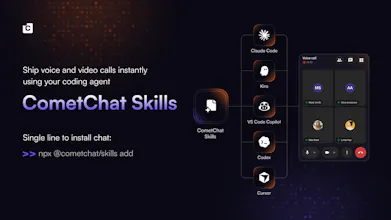
Add fully functional chat to your React app using AI agent skills. Drop in a skill file and your agent handles the full integration: installation, environment setup, SSR-safe rendering, and the correct init and login flow. One file per framework. Works seamlessly with Cursor, Kiro, VS Code Copilot, Claude, and Codex. Go from zero to a working chat in minutes, built on CometChat's proven foundation and ready for real projects from day one.
This is the 3rd launch from Chat Skills for AI Agents. View more
UI Kit Builder Skills for AI Agents
Launching today
CometChat Skills via the Visual Builder lets you customize your chat without leaving your build. From your coding agent, it opens the UI Kit builder on the CometChat dashboard. Set colors, themes, and features there, and every edit autosaves back into the agent, even though the builder runs in the browser. A single npx link drops it into your React, React Native, Android, iOS, or Flutter app in minutes.


Launch Team

Chat Skills for AI Agents
Hey Product Hunt - Swapnil here, I lead engineering at CometChat. Quick rundown of what's new under the hood in v4.3.0, and why it makes building chat in an agent genuinely smoother.
The loop lives inside your coding agent. You open the UI Kit builder on the dashboard, set your colors, themes, and features, and the agent fetches that config and emits framework-aware code per platform - edits sync back even though the builder runs in the browser. That's the recommended path; or scaffold in code with sensible defaults you change later. What you get is real integration code shaped to your project, not a generic bundle.
A few things that make it dependable: the builder config travels as a proper { builderId, name, settings } envelope, so iOS, Android, and Flutter integrations pick up your real settings every time. cometchat verify --builder walks the actual integration - settings files, wrapper components, dependency wiring, generated app structure - so you know it's wired correctly before you run it. And re-sync respects files you've already touched, so editing visually again won't clobber your code.
One npx link gets you integrated.