
Launched this week

CapyCursor
Cursor highlight, screen draw, zoom & spotlight
57 followers
Cursor highlight, screen draw, zoom & spotlight
57 followers
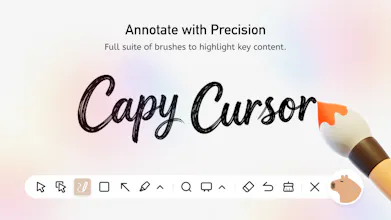
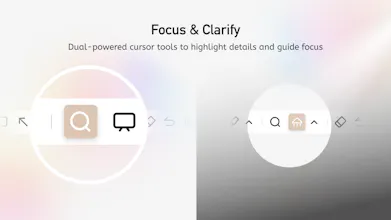
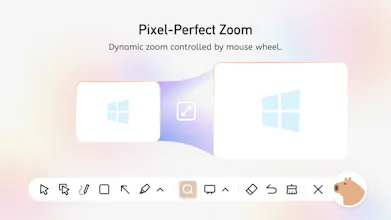
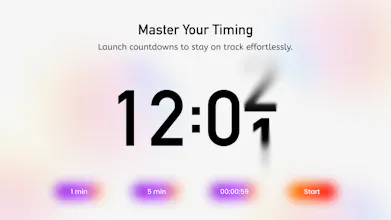
CapyCursor is a lightweight Windows tool that makes on-screen presentations clearer and more engaging. Teachers, YouTubers, and meeting presenters can use it to highlight the cursor, draw directly on the screen, spotlight specific areas, zoom in on details, and switch to a blank whiteboard — all with a single hotkey. Works system-wide alongside Zoom, Google Meet, PowerPoint, or any browser. No setup complexity, no performance lag. Ideal for online teaching, tutorial recording, and live demos.




IT is so refreshing to see new products that dont involve AI and are actually useful for our day to day.
I downloaded capy cursor and loved how easy it is to install, how little time it takes and also how user friendly it is.
I think is great that you have options for free features which are very useful for presentations.
My only feedback is that i honestly was expecting an actual cursor with the shape of a capybara. That would be amazing!
@carolinahunts Hi Carolina! 🦫 Thank you so much for your sweet comment—we're over the moon that you love Capy Cursor! It makes us so happy to hear it's easy to use and helpful for your presentations.
We totally hear you about wanting a real capybara-shaped cursor—what an amazing idea! We're already brainstorming how to bring this cuteness to life in our next update.
Got any other fun ideas or things you'd love to see? We're all ears! Let us know, and we'll do our best to make it happen! ✨
@capycursor i think this could be a great tool for senior citizens or children that are unable to read small text, so another feedback i have is to have the option to make the capybara button bigger, so they are able to reach it . (or maybe thats possible i just couldnt find it)
Best of luck!!!
@carolinahunts Hi Carolina! Thanks a lot for the great feedback and the suggestion—this accessibility improvement is super helpful!
Quick question to clarify: when you say you want the capybara button to be bigger, are you talking about the button in the settings, or the on-screen toolbar button?
Thanks again for your input, and all the best!
@capycursor My pleasure! and I meant the screen toolbar button! :)
The ability to draw directly on screen is super useful. Can you detail the drawing tools?
@elena_nimchenko The screen drawing tool in Capycursor lets you draw, annotate, and highlight directly on your screen at any time. You can use a freehand pen to write or sketch, add arrows and shapes to point out key content, and switch colors and brush sizes easily. All drawing works through quick hotkeys, so you can start or stop annotating without interrupting your presentation or workflow. The tool runs locally on your device and doesn’t rely on an internet connection, ensuring stable and smooth performance whenever you need it.