
AI-generated designs break brand standards because agents can't see your design system. Figma's use_figma MCP tool changes that. For product teams bridging design and code with AI agents.


Free Options
Launch Team

ArticosTest your messaging on buyers, right in your agent
Promoted


Figma opened the canvas to agents.
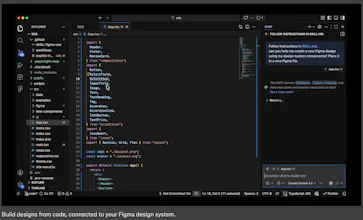
What is it: Figma's use_figma MCP tool lets AI agents create and edit designs directly in Figma, working with your actual components, variables, and auto layout not against them.
The problem: Every AI-generated design has the same tell: it doesn't look like your product. Components are invented. Spacing is arbitrary. The output is technically a UI, but it's nobody's design system. So designers throw it out and start over.
The solution: Skills are markdown files that encode your team's design conventions. Agents read them before touching the canvas. Combined with use_figma, agents now have both access and context they know how to work in Figma and they know how to work in your Figma.
What you can do with it:
🏗️ Generate component libraries from a codebase
🔗 Sync design tokens between code and Figma variables, with drift detection
♿ Auto-generate screen reader specs from UI designs
🔄 Run parallel workflows across multiple agents
Who it's for: Product and design-engineering teams that use Figma as the shared source of truth and want their AI agent workflows to stay connected to it. Heavy users of Claude Code, Codex, Cursor, and Copilot will feel this immediately.
P.S. I hunt the latest and greatest launches in tech, SaaS and AI, follow to be notified → @rohanrecommends
This is exactly what multi-agent platforms need. We're building Kepion — an AI company builder with 31 specialized agents, including Maya (Designer) and Kai (Frontend Dev). Right now Maya outputs design tokens and Kai codes them into React components. But there's a gap: Maya can't "see" or "touch" actual design files.
Figma for Agents closes that gap. If Maya could create and edit directly in Figma using this MCP tool, then hand off real Figma components to Kai for implementation — the design-to-code pipeline becomes seamless. No more translating between "design spec as text" and "actual visual design."
Two questions: does use_figma support reading existing design systems (variables, component libraries) so an agent can stay on-brand? And is there a way to export generated designs directly to code (React/Tailwind)?
Following this closely. The future of AI-generated products isn't just code — it's code that looks good.
@pavel_build don't know if this helps or about use_figma, but Figma's MCP exposes several other tools also - here are a couple & there are more:
- get_variable_defs - returns design tokens (colors, spacing, typography) from your selection.
- get_code_connect_map - retrieves the mapping between Figma node IDs and your actual codebase components. Enables Claude to use your real Button, Modal, etc. instead of generating new ones.
also, re react, we're using the Storybook MCP in combination with Figma MCP too
@robert_ross6 This is gold — exactly what I needed. get_variable_defs means Maya (our designer agent) can read the client's existing brand tokens directly from Figma instead of asking them to fill in a JSON config. And get_code_connect_map is the missing link between design and code — Kai (frontend dev) would know which Figma component maps to which React component in the actual codebase.
The Storybook MCP combo is smart — design system as single source of truth, accessible to both human designers and AI agents. We'll definitely explore this stack: Figma MCP for design input → our agent pipeline → Storybook MCP for component validation.
Thanks for the detailed breakdown!
How does it handle the conflict when the code variables in Figma and the code base diverge? Congrats on the launch.
@roopreddy Great question, I think the idea is to use agents to continuously compare tokens and mappings between Figma and the codebase, flag drift early, and help you reconcile rather than silently diverge.
the screen reader spec generation is the most underrated part. a11y annotations are always manual, always late, and quietly ignored in code review anyway.
agents generating aria specs from actual design system components — if that's real, it's the first time accessibility sits upstream of the handoff, not downstream.
@webappski Totally agree, a11y usually shows up at the very end, so letting agents generate screen reader and aria specs directly from real components is about moving accessibility to the starting line.
This is the missing piece. I've been using Claude Code and every time it generates UI it's a coin flip whether it matches the design system or goes full generic. Giving agents direct access to Figma tokens and components should kill the 'looks AI-generated' problem. Does it pull live component states or just static styles?
Figma + agents is a natural fit. Can agents modify designs based on natural language, or is it more for extracting context for code?
Codex cannot create design frames in Figma because the Figma write tool (use_figma) isn't exposed here. Please help me.🙏