
Cerewro: Windows AI Agent
Enhance the experience with artificial intelligence
2 followers
Enhance the experience with artificial intelligence
2 followers
Artificial Intelligence Agent for Windows Cerewro is a Windows application that manages all Artificial Intelligence (AI) processes, interacts with multi-model chat, voice control, alert lists, image creation, a video generator, operational tools, customizable skills, automations, a file explorer, email sending, a command console, a web browser, and analytics. It features two API modes: Cloud AI and local AI.






Cerebro is the first multimodal AI agent designed specifically for Windows.
With Cerebro, you can interact naturally and powerfully with your computer, as if you had an ultra-intelligent personal assistant right inside Windows.
See everything you can do:
Chat → Type any request: from complex questions to direct commands on your hard drive or in any Windows action folder. Choose your preferred AI model (online or local).
Voice → Speak to Cerebro and ask it to write, search, organize, create, or run any task on your PC… all using voice commands.
Audio (Text → Speech) → Convert any text into audio with very natural voices. Ideal for narration, responses, or accessibility.
Guidelines → Create, save, and optimize powerful guidelines. For example: type “generate a restaurant website” → click “Improve with AI” → Cerebro automatically generates a professional and detailed guide that you can save and reuse whenever you want.
Images → Generate high-quality images from various providers of your choice, all from the same interface.
Video → Create videos with different models and advanced settings.
Skills → Assign specific behaviors and personalities to the agent to perfectly suit your needs (professional, creative, technical, etc.).
Automations → Schedule recurring tasks: every day at 8:00 AM, every Monday, the 1st of the month, etc. The agent automatically executes actions (reports, backups, submissions, searches, etc.).
File System → Explore, read, modify, create, or delete files directly from the chat.
Internet → Browse, search for information, download content, automate web processes, and even send results via email—all without leaving Cerebro.
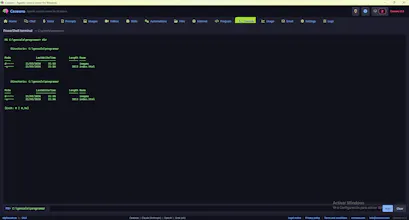
Programming and Console → Execute commands, write and test code, and open terminals with different environments. Total control.
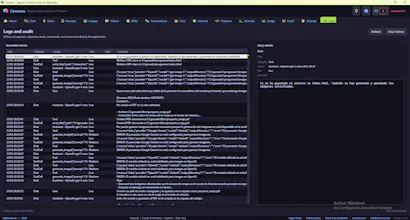
Real-time monitoring → Token spending dashboard, usage history, and tracking of your requests.
Email → Read your inbox, reply, compose emails, and schedule automatic or one-off sends.
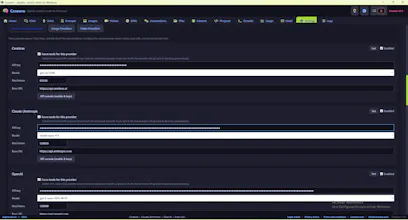
Complete setup → Choose your language, chat providers, voice, TTS, images, video… manage licenses, and review all activity logs.
Cerebro transforms your PC into an intelligent, productive, and multimodal workstation.
Ready to take your Windows to the next level?
Visit cerebro.com now and download the first AI multimodal agent for Windows.
Try it today!