Launching today
font2icons

font2icons

Font to icon(svg) explorer, Copy to Figma\Sketch

5 followers

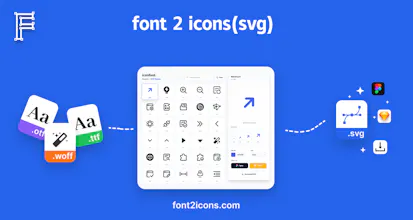
Many websites package icons intowoff2 orttf font files (such as the font packaging services provided by iconfont.cn) to achieve peak performance. While this significantly improves page loading speeds, it often creates a "black box" around the icons, making it difficult for average users or non-professional designers to directly access the SVG source code for individual icons. Support the preview of standard text fonts, allowing you to convert specific character glyphs into icon(svg).
font2icons gallery image
Free
Launch Team
Webflow | AI site builder
Start fast. Build right.
Promoted

What do you think? …

adam xing
Many websites package icons into .woff2 or .ttf font files (such as the font packaging services provided by iconfont.cn) to achieve peak performance. While this significantly improves page loading speeds, it often creates a "black box" around the icons, making it difficult for average users or non-professional designers to directly access the SVG source code for individual icons. Beyond icon fonts, we also support the preview of standard text fonts, allowing you to convert specific character glyphs into icon(svg). font2icons provides an intuitive and efficient "drag-and-drop" workflow for this purpose: - Full Format Support: Comprehensive support for deep previewing and glyph parsing of both icon fonts and standard text fonts. - Auto-Normalization: Intelligently handles font format compatibility and path calibration to ensure high-quality icon(svg) output. - Gallery Preview: Browse all glyphs and their corresponding Unicode mappings as intuitively as scrolling through a photo gallery. - One-Click Copy & Export: Download high-precision SVG files or copy vector graphics with a single click to paste directly into Figma, Sketch, or other design tools. --- 🛠️ Help Guide: How to Get Font Files? If a target website only uses CSS and font files (without providing direct SVG downloads), follow these steps to retrieve the original files and use font2icons for conversion: Step 1: Open Developer Tools Press F12 on the target webpage (or right-click anywhere and select "Inspect"). Step 2: Locate Network Requests 1. Click the Network tab at the top of the developer tools panel. 2. In the filter bar below, select the Font option. 3. Note: If the list is empty, try refreshing the page (F5) to re-capture the loading requests. Step 3: Download the Font File 1. Look for files ending in .woff2, .ttf, or .otf. 2. Filenames typically include keywords like "iconfont", "font-icons", or "fx-pc". 3. Right-click the filename and download the file to your local machine. Step 4: Parse & Convert to icon(svg) Drag the downloaded font file (icon font or standard font) directly into the upload area of font2icons.com: - Preview: Instantly view all glyphs and their corresponding Unicode mappings. - Action: Click the icon or glyph you need, then choose to Download SVG or Copy to Figma/Sketch.