Launching today
Photo Scan Excel

Photo Scan Excel

Snap photos to clean Excel in seconds — No more typing.

2 followers

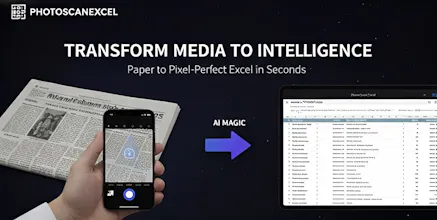
Tired of manual data entry? Photo Scan Excel turns any photo into a structured spreadsheet instantly. Why it’s powerful: Context-Aware: Handles complex layouts like newspapers, antique catalogs, and trading cards. Precise Mode: High accuracy for handwriting and intricate tables. Custom Fields: Extract exactly what you need (e.g., Date, HP, Price). Born from a need to digitize obituary columns in Japan, it’s now a tool for everyone—from business to collectors.
Photo Scan Excel gallery image
Payment Required
Launch Team / Built With
Intercom
Intercom
Startups get 90% off Intercom + 1 year of Fin AI Agent free
Promoted

What do you think? …

Amyloid2020
Maker
📌
Hi Product Hunt community! 👋 I’m Amyloid2020, a solo maker from Japan. I’m thrilled to finally share Photo Scan Excel with you all! The Story Behind the Tool: This project started when I met estate liquidators in Japan who were struggling with a tedious daily task: they had to spend 30 minutes every single day manually typing data from old newspaper obituary columns and antique catalogs into Excel. While 30 minutes might not sound like much to some, doing this repetitive work every day was a real "productivity killer." I thought, "In the age of AI, nobody should be trapped in this kind of manual entry hell." What makes it different? Unlike standard OCR that just spits out a wall of text, Photo Scan Excel understands context. Complex Layouts: It can handle tricky structures like newspaper columns or financial tables in books. Specialized Data: As you can see in the gallery, it even works on things like Pokémon cards, automatically identifying headers like "Card Name," "HP," and "Ability." Customization: You can tell the AI exactly which columns you need. I’d love for you to try it out and let me know: What kind of repetitive typing tasks are eating up your time? How can I make the extraction even more seamless for your workflow? Thank you for your support! 🚀