
aOCR
API for converting complex documents into structured data
105 followers
API for converting complex documents into structured data
105 followers
a_OCR converts unstructured documents like PDFs and images into accurate, structured data ready for any workflow. Our multi-pass document processing pipeline combines advanced OCR with vision-language models to deliver state-of-the-art accuracy, reliability, and scalability at production scale.

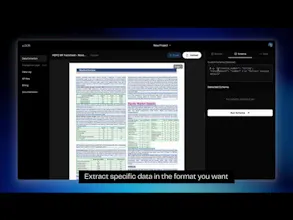


Hello Hunters! 😻
We are thrilled to launch a_OCR — the Intelligence Layer for your documents.
We built a_OCR because traditional OCR tools stop at "reading text." We wanted a platform that could actually understand it.
Whether you are in Fintech processing bank statements or Logistics handling messy shipping manifests, a_OCR turns unstructured chaos into machine-actionable data.
Why we are different:
🚀 Speed & Scale: <10 second processing time with auto-scaling infrastructure.
🧩 Advanced Table Processing: We handle nested, borderless, and complex tables that break other parsers.
💬 Chat with your Data: Use our Smart Extraction to extract insights without writing code.
We’d love your feedback as we continue to build the future of document intelligence.
You can try it out live at https://aocr.in
AMA below — we’re here all day!
how can i use it in development env?
Trying it now on a 10 page PDF - fun fact, the PDF is upside down for some reason lol I saw on reddit you were looking for a challenge and that might be it. Results and schema never loaded. :( would love to use it though EDIT i fixed my PDF but schema still never loaded
@alanscarpa Hi Alan,
Thanks for the feedback. We will fix this as soon as possible. Also for the schema generation, following are the steps :
Write the user intent or schema in whatever format you need the data.
Click on the "Run Schema" button and see the results according to your intent or schema.
This data can be directly used for your databases, making AI agents and many other uses.
Please retry and gives us the feedback.
I think everyone thinks that OCR is solved and many people believe it until complex documents emerge. I used aOCR it worked on most documents.