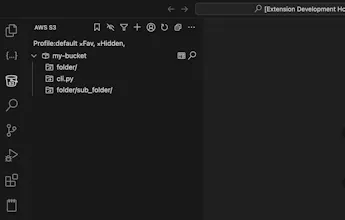
The AWS S3 extension brings the power of Amazon S3 directly into VS Code. Browse, manage, and manipulate buckets, files, and folders without ever leaving your editor.
No reviews yetBe the first to leave a review for AWS S3 Extension for Visual Studio Code
Maker
📌
AWS S3 Extension for Visual Studio Code
The AWS S3 extension brings the power of Amazon S3 directly into VS Code. Browse, manage, and manipulate buckets, files, and folders without ever leaving your editor.
🚀 Features
File Management – Rename, copy, move, delete, upload, download.
Folder Management – Create, rename, copy, move, delete, download.
Copy Options – File name (with/without extension), key, ARN, URL, S3 URI.
Shortcuts – Pin frequently used files/folders for instant access.
Advanced Search – Search across buckets by name, extension, or key (case‑insensitive).
Endpoint & Region Customisation – Works with custom S3‑compatible endpoints (e.g., LocalStack).
Localstack Support – Seamlessly test against a local S3 emulator.
🌟 Why Use It?
Whether you’re a developer, data scientist, or sysadmin, this extension streamlines your workflow with an intuitive UI that makes S3 resource management faster and more convenient.